How to subscribe to CloudHSM?
You can subscribe to CloudHSM services either online or through in-person sales. The onboarding procedure varies depending on the purchase channel.
- via Sales
- Online
1. Purchase Order
Contact the Securosys Sales team to submit a purchase order.
2. Download the Service Order Form
Download the Service Order Form.
2. Fill out the Service Order Form
Fill out the form with the configuration parameters and options you need for your CloudHSM service:
- Enter the
offer reference. - Select the
service start date. The service activation can take up to 72 hours.
Service Package Parameters:
HSMaaS: Select the Service Package from the drop-down list.TSBaaS/RESTaaS: If applicable, select the TSBaaS and RESTaaS.API Provider(s): Select the API Provider.Optional features: If applicable, select the HSM features
Contacts
-
Purchase contact: Enter your information -
Registered Support User(s):- List the users who must have access to the Support Portal. These users will be allowed to create support tickets and/or receive HSM service credentials.
- For each user, assign a role. List of user roles available.
Privileged UserThe first Privileged User must provide a mobile phone number. This user will receive an OTP code via SMS. This code is needed to download the credentials of the CloudHSM Partition.
Security Policy Settings:
-
IP ACL: Enter the list of IP-addresses to be whitelisted. The access to the HSM is restricted to a list of specific whitelisted source IP addresses.By default, the IP whitelisting is only available for the native APIs (JCE, MSCNG, PKCS#11) and not on the supplementary services (TSB, REST). To enable IP whitelisting, these need to be requested as dedicated instances.
-
Key import,Key export,Key invalidation,Session Objects,Partition Read-Only,Object DestructionandObject Usage: Select the various Partition Security Policy Settings.
Decanus Terminal (optional):
Delivery Address: If you ordered the physical device Decanus Terminal, provide the delivery address details for the shipment:- Company Name
- Full Address (Street/No., ZIP Code, City, County, Country)
- Contact Name
- Phone number
- Provide any
additional informationif required.
3. Return the Service Order Form
Complete, sign and email the form to your Securosys sales representative.
1. Create a tenant
On Cloud Console, log into your tenant or create a new one:
More info: How to create a tenant?
2. Select the service and the cluster
Browse the different CloudHSM service packages available and reach the page.
On the right-hand side of the screen, select the cluster you want for your service.
Clusters differ from a service to another.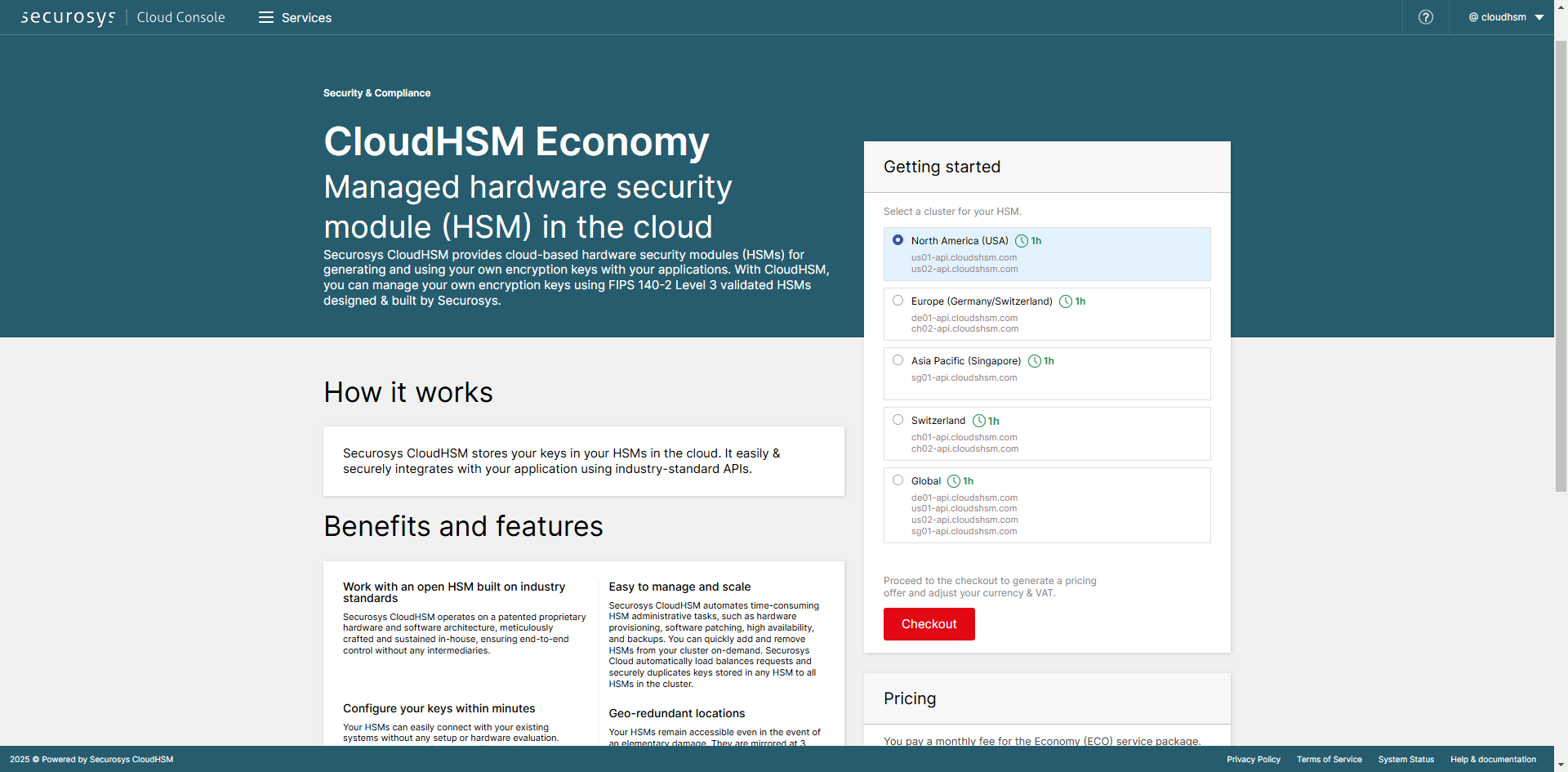
3. Checkout & payment
Click on Checkout to proceed to the checkout page, complete your information:
- VAT number if needed
- payment information
Click on Subscribe at the bottom of the page.
4. Order confirmation
Once your order is confirmed, you will receive several emails:
- One or several emails from Digital River MyCommerce (the Merchant of Record, on behalf of Securosys), with the invoice attached in .pdf format.
- One email from Securosys "Service newly created", with a 6-digit PIN code.