Realm Export/Import
This guide explains how to the realm export/import in Keycloak affects the Keycloak Securosys HSM Provider.
Realm Export
Importing and exporting realms remains the same as how you would do this for a regular instance of Keycloak. As the provider is part of the realm now, the HSM details are also part of the export.
- UI
- CLI
Export the realm configuration using the UI.
Navigate to Realm Settings > General > Action > Partial Export
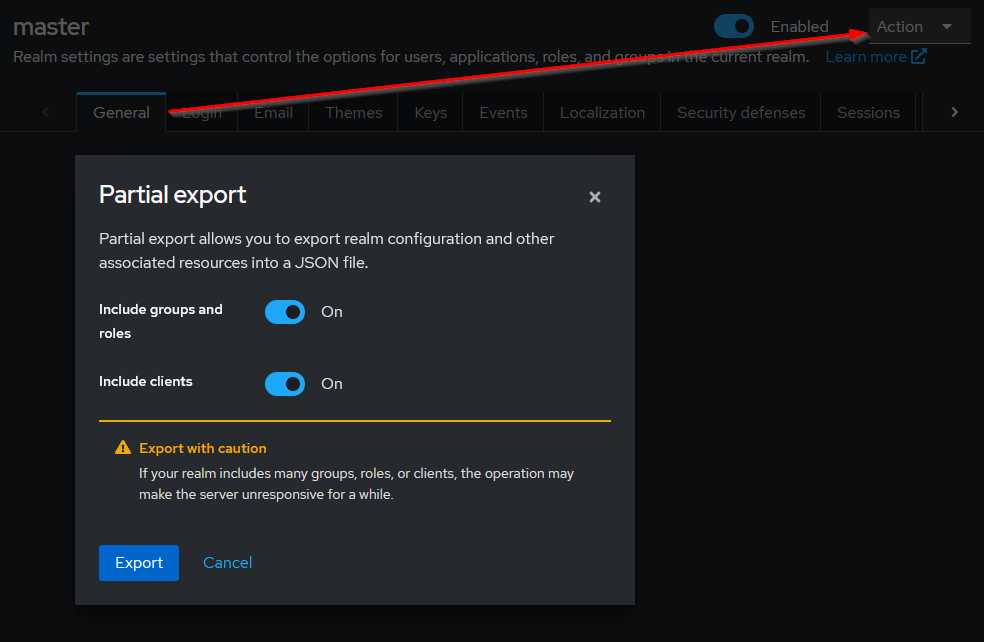
Export the realm configuration using the CLI
# to export all realms to a file
bin/kc.[sh|bat] export --file all-realms

# to list all export options
bin/kc.[sh|bat] export --help
The downloaded JSON file contains the section components.org.keycloak.keys.KeyProvider
where you can find the securosys-hsm provider details.
The HSM Setup Password and the HSM Proxy Password (when connecting to a CloudHSM) are exported in plaintext.
The Permanent Secret is stored as a file, as specified by the HSM Secret Path config option. This file is not part of the export.
Realm Import
- UI
- CLI
Import the updated configuration file using the UI
Navigate to Realm Settings > General > Action > Partial Import
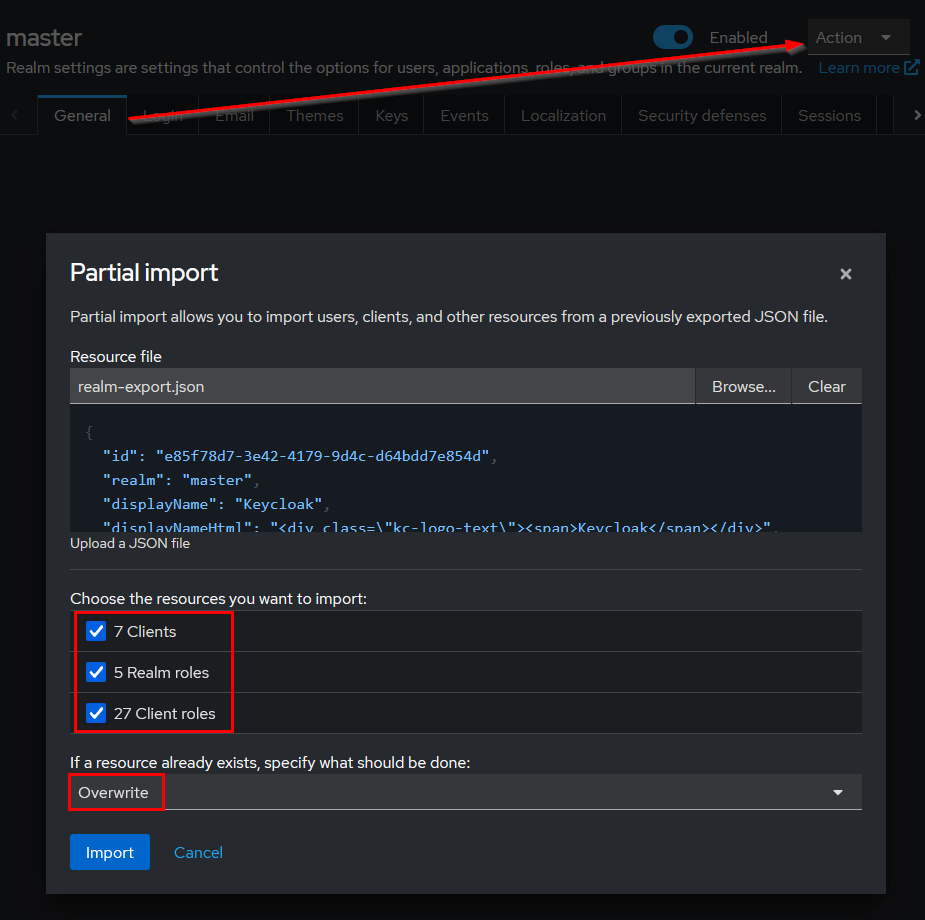
Select Overwrite, to apply any changes that you have done for the provider.
Import the updated configuration file using the CLI
# to import and override all realms from a file
bin/kc.[sh|bat] import --file all-realms --override true

# to list all import options
bin/kc.[sh|bat] import --help
By default, the --override option is set to true so that realms are always overridden with the new configuration.
Afterwards, you need to set a new HSM Setup Password in the HSM Setup Password config field. This is because the old Setup Password has likely expired.