Multitenancy (KMIP)
A single KMIP Server can serve multiple HSM Partitions, offering multitenancy. Each KMIP client is mapped to a Partition, and its keys and objects are created there. Additionally, the KMIP Server uses a Base Partition to store its own state. The KMIP Server logs in to all Partitions over the JCE API.
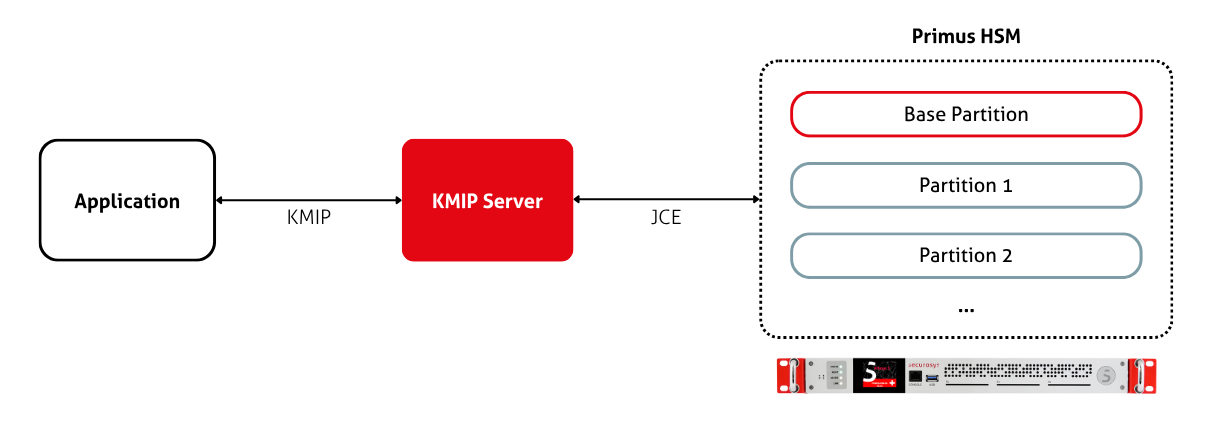
Base Partition
The Base Partition is the Partition that the KMIP Server uses to store its own state. Most of the server's state is persisted on this Partition, stored as HSM data objects. For more details, see the storage article.
Additional Partitions
Each KMIP client is assigned an HSM partition at creation time. This is the Partition that the client uses to create and access its keys (and other objects). By default, clients are assigned the base partition. The list at KMIP Server > Clients shows the assignment in the Partition column.
You can create a KMIP client that is assigned to a different partition as follows:
- Configure the HSM Partition to allow requests via KMIP. Follow the same steps in the installation guide as for the Base Partition.
- Register the additional Partition in the Key Manager under Administration > HSM Partitions.
- A registration takes the HSM Partition name (for example
PART001) and its Setup Password. The password is exchanged for a permanent secret, and the secret is stored blinded in a data object on the Base Partition. - To use an existing partition, go to Administration > HSM Partitions and select Set up KMIP for the desired partition.
- A registration takes the HSM Partition name (for example
- Assign the Partition to a KMIP client. This can only be done when you create it. Follow the Manage KMIP Clients tutorial to create a new client.
- Restart the KMIP Server. Changes to the server configuration are only read at startup.
The Key Manager then adds the mapping to kmipserver.properties as
primus.user.<client> and primus.password.<client> fields.
Clients without an assignment fall back to the base partition.
From now on, when the KMIP Server receives a request from a KMIP client, it looks up which partition is assigned to this client. If it is different to the Base Partition, the KMIP Server logs into this additional partition on behalf of the client and executes the request on this partition.
Note that the separation only applies to the keys and objects of the clients. The global KMIP Server settings (such as partition login information, mTLS keystore and truststore, client registry) still remain on the Base Partition.
Multitenancy only works within an HSM cluster. A single KMIP Server can only serve partitions located on the same cluster as the Base Partition. Deploy multiple KMIP Servers if you have multiple HSM clusters (one server per cluster).