CyberVault KMS Features
This page goes over what each section of the CyberVault KMS is, when to go there, and which operations are important to know before diving into them in daily activity.
CyberVault KMS can be used for different activities. For example, day-to-day key and certificate operations, governance, Key Manager configuration, and use of optional modules. Most actions are scoped to the currently selected HSM Partition, and some pages are shown only when the user role, deployment configuration, and HSM license allow them.
How to read this UI
Starting to use the Key ManagerMost first-time questions can be answered with four rules:
- Partition scope: most pages operate on the currently selected HSM Partition
- Role-based visibility: some pages are visible only to administrators or other authorized roles
- License and enabled feature: optional modules appear only when the deployment and HSM license allow them
- SKA approval workflows: some actions may require an SKA multi-authorization approval
On this page
The below table lists all Add-ons available in the Key Manager. Some of these features are not enabled by default.
| Feature | What it is for |
|---|---|
| Dashboard | Landing page, providing overview of the active Partition, highlight issues, quick actions. |
| Keys | Create, inspect, protect, and operate on HSM-backed cryptographic keys. |
| Certificates | Manage X.509 certificates, CSRs, self-signed certificates, and profiles. |
| Approvers and SKA Policies | Enforce multi-party approval for sensitive key operations. |
| KMIP | Operate the KMIP Server, user trust, connectivity, and diagnostics. |
| AI Assistant | Use MCP-backed assistant workflows for guided and tool-driven operations. |
| Discovery | Scan external systems for TLS posture, certificate findings, and PQ-readiness. |
| Key Compliance | Validate the live keystore against operator-defined compliance profiles. |
| Audit Log | Review Key Manager and HSM activity and export audit evidence. |
| Alerts | Investigate actionable events and jump to the relevant remediation surface. |
| Administration | Configure platform behavior, identities, Partitions, secrets, users and integrations. |
Dashboard
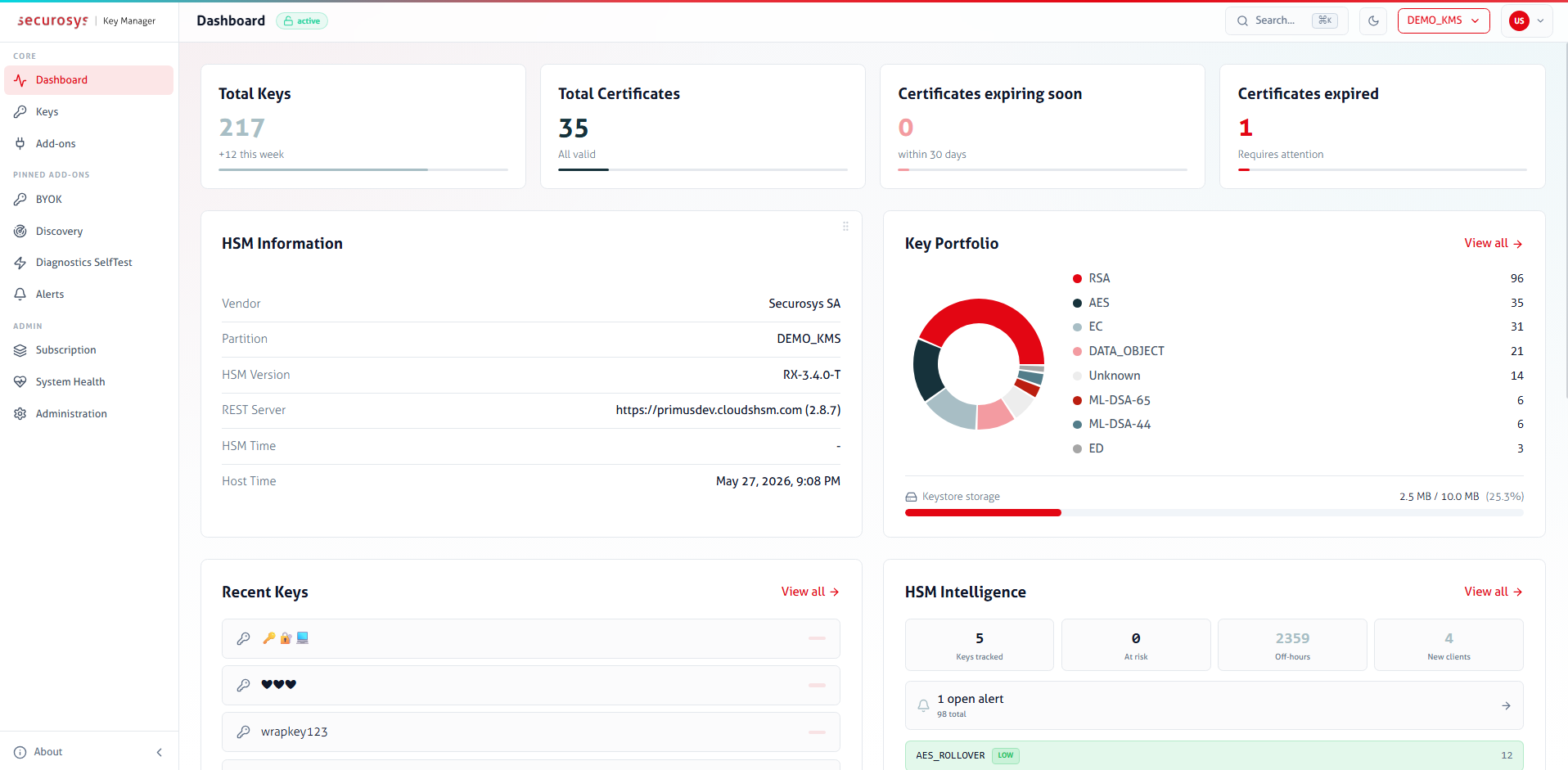
The Dashboard provides an overview of the current state of the active Partition.
- Review key, certificate, audit, and alert summaries
- Check HSM information, capacity, and license state
- View recent activity and quick actions for different features
Keys
Use Keys for day-to-day cryptographic object management on the HSM.
Typical use cases:
- Create symmetric, asymmetric, and supported post-quantum keys
- Inspect key attributes, policy flags, usage counters, and bindings
- Import and export keys
- Rotate, rename, block, unblock, or delete keys
- Change key passwords
- Store sensitive information as Data Objects (key-value objects), the value can be anything (base64 encoded)
Important to note:
- CyberVault KMS is primarily a key management surface, and therefore not intended for crypto operations
- Available actions depend on the key type, permissions, and license flags
- Some key attribute changes are intentionally one-way according to the PKCS#11 Standard and cannot be reversed later
- SKA keys require an approval flow
Certificates
Use Certificates to manage X.509 certificates linked to HSM-backed keys.
- Create CSRs, self-signed certificates, and certificate imports for existing keys
- View certificate details and chains
- Download or delete certificates associated with a key
- Use Administration for certificate profile management
Important behavior:
- The Key Manager is not a full PKI
- Certificate workflows depend on an underlying HSM-backed key
- Some issuance flows become asynchronous when the signing key is protected by SKA
Add-ons
Use Add-ons to review and enable or disable additional features. These modules can be pinned and then appear in the sidebar for the operator. Below is a list of available add-ons.
KMIP
Only available as a Custom Subscription Add-on, requires additional purchase.
Allows you to configure a KMIP Server and perform initial onboarding.
Typical use cases:
- Setup KMIP-Server configuration-file and server behavior
(e.g. enforce client-authentication on
discovery&queryAPI's) - Create, import, export, and delete KMIP users
- KMIP-Server connectivity tests
- Review KMIP Server health, activity, audit, logs, and diagnostic bundles
Approvers and SKA Policies
Use Approvers & SKA Policies to manage approvers and define reusable SKA policies for sensitive key operations.
Typical use cases:
- Onboard approvers using the Securosys Authorization App
- Review onboarded, pending, or unmanaged approver identities
- Define reusable SKA policy profiles
- Attach SKA policy profiles to keys
Important behavior:
- Approvers represent identities, while profiles define a fixed SKA-policy to keys
- Policy profiles let you configure a SKA-policy templates. They allow you to define quorum enforcement, timing constraints, and rules (use, modify, block and unblock)
- Define approver policies on externally managed keys (e.g. approver key pair created with OpenSSL)
AI Assistant
Use AI Assistant to ask questions about the HSM Partition and perform operations on keys through MCP-backed tools.
Typical use cases:
- Ask for guidance on key and certificate operations
- Inspect objects through conversational queries, builds complex reports based on the HSM keystore
Important behavior:
- The assistant requires both a LLM-Provider configuration and an enabled MCP service
- Tool access can be restricted to a read-only subset or expanded to a broader tool set (RBAC Rule configuration is available per API-Endpoint and key usage function)
- Conversations are scoped to the active Partition
Discovery
Use Discovery Scanner to scan external systems for TLS posture and certificate findings.
Typical use cases:
- Register scan targets (web servers)
- Run on-demand or scheduled discovery scans
- Review weak TLS versions, cipher issues, certificate findings, and PQ-readiness indicators
- Configure scan parameters
Important behavior:
- Discovery is a beta module
- Scan results describe external web servers, not only objects stored in the HSM
Discovery complements HSM key management, but it is not a view of the HSM keystore itself.
Key Compliance
Use Key Compliance to define compliance expectations and validate the live keystore against them.
Typical use cases:
- Create compliance profiles (set of compliance rules the HSM KeyStore must meet)
- Run validation against the current keystore and use the alerting configuration if a newly created key does not match the validation
Important behavior:
- Key Compliance is a beta module
- Compliance is profile-driven: operators define the rules they care about, then validate against them
- Validations run against the live state of the active HSM Partition
- Compliance does not enforce rules by itself; it evaluates the current keystore against operator-defined expectations
- This page is most useful after the key landscape and alerting configuration are already in place
Other Add-ons
Depending on deployment and licensing, the Add-ons area can also expose:
- BYOK: bring-your-own-key import and export workflows for different providers
- Diagnostics SelfTest: operator-driven crypto and connectivity checks against a list of categories
- Crypto Agility: post-quantum migration inventory and readiness analysis
Governance Workflows
These pages give you an insight into what is happening, what needs attention, or what evidence can be exported.
Audit Log
Use Audit Log to investigate activity from both the Key Manager and the underlying HSM.
Typical use cases:
- Review authentication, key management, certificate, approval, and system events
- Search the Key Manager audit trail
- Inspect raw HSM Partition logs or filter for specific operations
- Export signed audit evidence
Important behavior:
- Separates Key Manager audit events from HSM Logs
- The HSM Logs page is used for review and investigation, whereas Key Manager is for configuration and signing-related settings and is part of the administration surface
- A review and evidence page, not the place where audit behavior is configured
- If you need log forwarding, signing settings, or delivery changes, that is part of Administration
Alerts and Notifications
The Alerts page is the central location for actionable events raised by the Key Manager. Alerts can utilize the Notifications page, where you define SMTP settings for email notifications.
Typical use cases:
- Review unacknowledged alerts (SKA policy modification, key deletion, sudden extreme key-usage, etc.)
- Follow lifecycle of objects and service-related activities, filter by severity
Important behavior:
- Think of the Alerts page is an inbox, whereas outbound email delivery is configured separately through Notifications
- In General Settings > Alert you control who receives which alert categories and under what conditions.
- Alerts are where operators investigate issues
- Notifications define how those issues are delivered to people outside the dashboard
Administration
Use Administration to configure the platform itself rather than the contents of a specific workflow.
This section is the control center for many of the other pages listed above. For example, it defines users, Partitions, notification delivery, secrets, and integration settings that other workflows depend on.
- General Settings: Runtime behavior, appearance, session and security settings, service TLS, Alert notifications and other non-secret platform settings stored encrypted at rest.
- Users: Key Managers user creation, role assignment, account status, MFA reset, unlock operations, and per-user Partition access.
- Partitions: Shared HSM Partition registry. Create a Partition entry once, store its credentials securely, then assign access to users.
- Identity Provider: OAuth provider configuration for Microsoft, GitHub, or Keycloak-based authentication.
- Notifications: SMTP transport settings for outbound alert email, including test-email verification.
- Syslog: TLS syslog forwarding for audit data, including status and connection testing.
- Secrets: Blinded secrets such as OAuth client secrets, SMTP credentials, syslog certificates, and LLM API keys.
- System Health: Live health snapshot of internal services, upstream dependencies, and optional integrations.
- Subscription: Current feature landscape and licensed capability overview for the active HSM Partition.
Important behavior:
- An admin-only account can see administrative surfaces without participating in daily keystore work
- Many administration settings affect the whole deployment, not just one Partition view
- Some admin pages edit public configuration, while sensitive credentials are stored separately through the Secrets page
- If a feature page says something is an administrative task, it usually means the setup starts here
- This section contains details about why only some features are available, how they authenticate, and where delivery or integration settings come from